I struggled with this problem for several years during my Bismarck build. The larger the plan sheet, the greater the chance for error. No matter how careful the original draftsman was, each time a drawing is photocopied, all of the lines become distorted, due to the curved nature of the lens of the copier. It's not obvious in small details or in curved areas, but if you put a straight edge on a long line, such as the waterline, it's noticeable the first time the original drawing is photocopied. If the waterline is bent, the entire hull drawing is bent. If that copy is then copied, the distortion compounds, and each generation of copies adds to the problem.
The same issue arises when scanning. (The scanner also uses a curved lens.) A similar problem occurs when printing, as each printer prints with a certain amount of imperfection in scaling.
I finally had to scan the drawings, take them into Photoshop, warp them until the waterline was straight, and then use one printer to print each drawing. The advantage to this approach is that the drawings are virtually identical, each time I print a section. Since I build in 1:144 scale, most parts I work on require only an 8 x 10 standard sheet of printer paper. I simply use the marquee tool to choose that area or piece, and print it. it makes the drawings manageable. It also enables me to easily determine if that particular part or fitting is scaled properly, especially if I know the actual dimensions of the original, 1:1 object.
For example, Bismarck's prop:
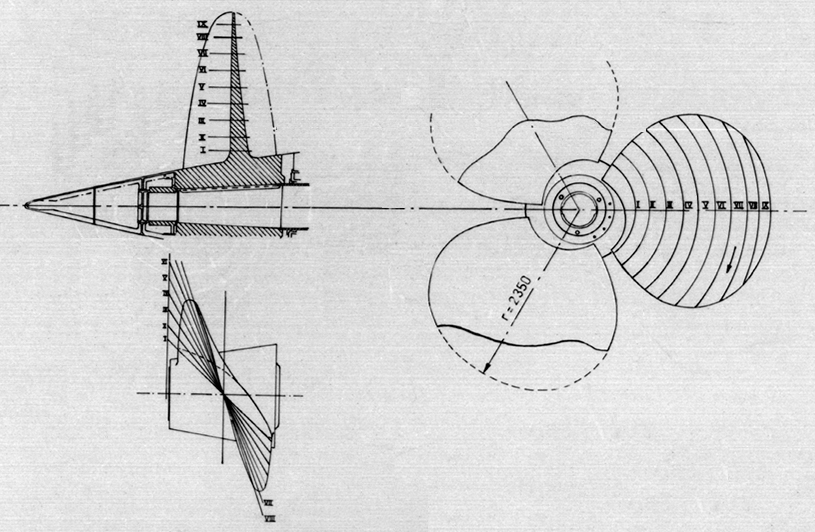
I know the real dimensions, and I know, using simple math, what the diameter should be in 1:144. If I print it out on an 8 x 10 sheet, and then measure it, I can easily scale it in Photoshop until it prints correctly. This may sound tedious, but it produces excellent results.
Rob