Just like in today's 'What's New', this beautiful diorama leads me to ask the following;
How do you photograph these scenes and add the sky, clouds, and natural looking lighting? I did a quick search in the Tips and Tricks section but didn't see anything there. Who is willing to educate?
Thanks
Timm
Picture backgrounds
Moderator: JIM BAUMANN
-
Capt652

- Posts: 404
- Joined: Wed Mar 21, 2007 5:59 pm
- Location: NW Lower Michigan
Picture backgrounds
Timm Smith
Learn something new about the ship or your job every day. Ignorance is not bliss aboard a warship in wartime. Ignorance could cost the life of yourself, a shipmate, or the loss of the ship.
- Personal Information Booklet CV- 38
Learn something new about the ship or your job every day. Ignorance is not bliss aboard a warship in wartime. Ignorance could cost the life of yourself, a shipmate, or the loss of the ship.
- Personal Information Booklet CV- 38
-
Russ2146
- Posts: 2126
- Joined: Tue Nov 03, 2009 9:28 pm
- Location: Egg Harbor Twp, NJ
Re: Picture backgrounds
The truth is that, genetically, Carl Musselman is 50% modeler and 50% photographer. there's a little Machinist Mate that comes out at times. Who but an MM would think of using a brass bushing for a pedestal, rather than use a lamp shade riser.
He has a blue sky and clouds backdrop, actually a large photograph, that he photographs against. The lighting, what can you say, he's an artist!!
He has a blue sky and clouds backdrop, actually a large photograph, that he photographs against. The lighting, what can you say, he's an artist!!
-
NukeMM
- Back-Aft Models

- Posts: 2980
- Joined: Tue Feb 05, 2008 12:44 am
- Location: Omaha, NE, USA
Re: Picture backgrounds
Timm,
For my USS Oyster Bay diorama, and most of my models in the Gallery, I use a poster(s) that I bought at a frame shop (this one came from Hobby Lobby) and I try to find one that is mostly sky. They are more scarce than you'd think. I then but the post along the horizon and tape it to the cardboard backing that came with the poster.
I prop up this post (about 12" x 30") against something solid and build up the foundation for my model's base up to where the water line of the model's base is just above the horizon on the poster.
I bring the table out to the front of my garage and line it up so that the model won't cast any shadow on the sky background. I find that natural sun light is a key to realistic looking images.
I take the photos like this...............
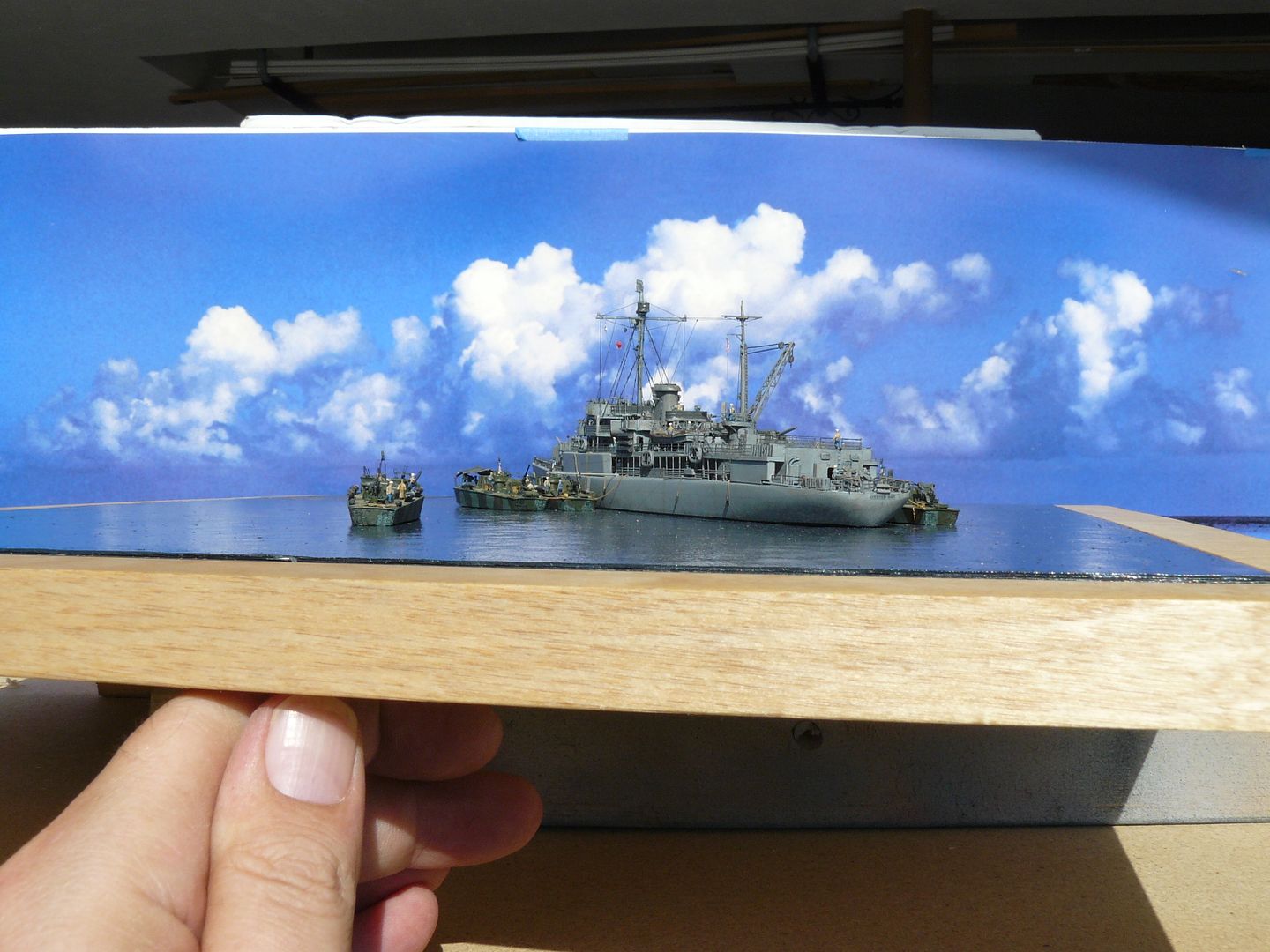
and then crop and enhance the photo with the computer program, like this.............
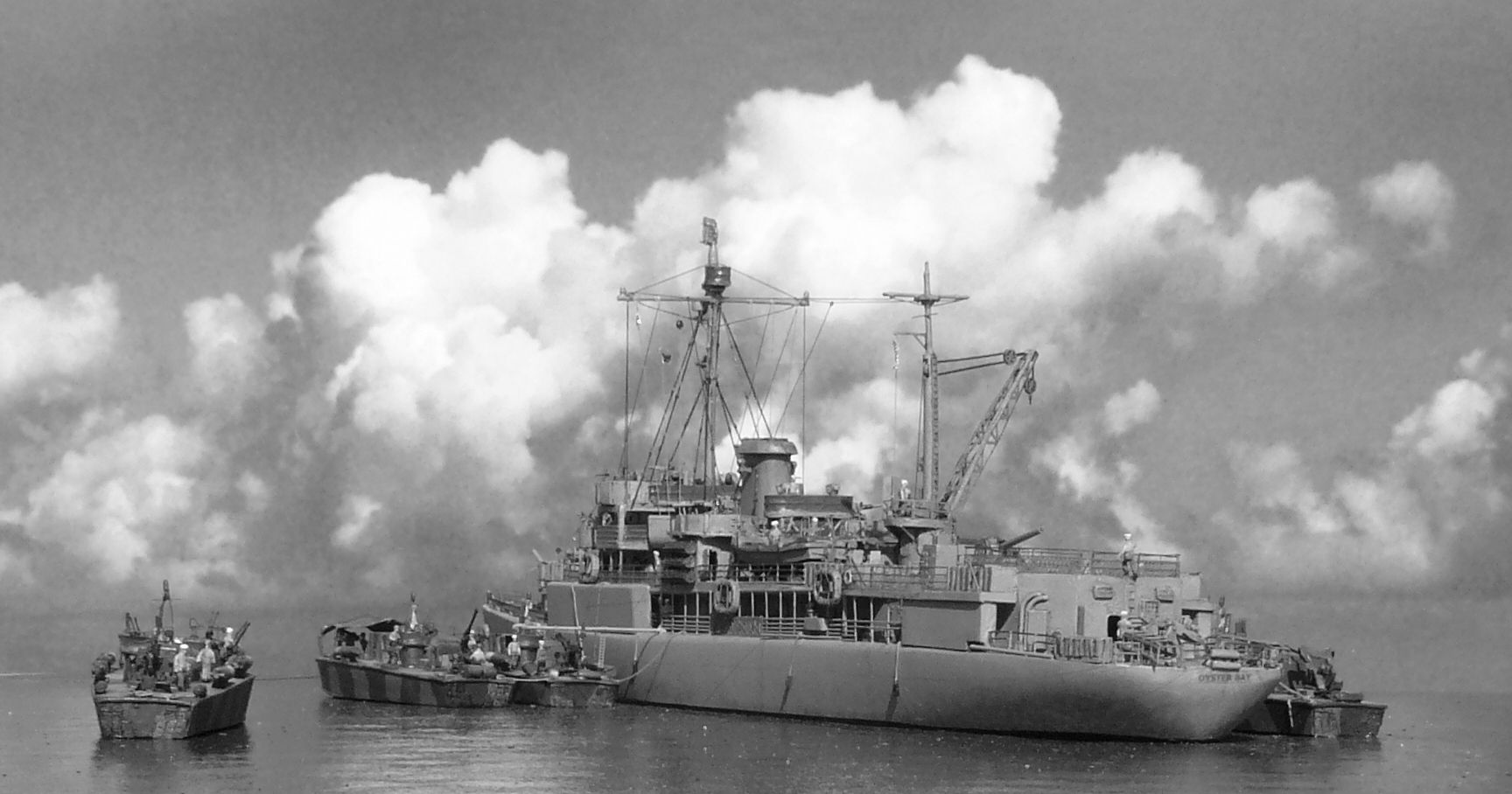
For my USS Oyster Bay diorama, and most of my models in the Gallery, I use a poster(s) that I bought at a frame shop (this one came from Hobby Lobby) and I try to find one that is mostly sky. They are more scarce than you'd think. I then but the post along the horizon and tape it to the cardboard backing that came with the poster.
I prop up this post (about 12" x 30") against something solid and build up the foundation for my model's base up to where the water line of the model's base is just above the horizon on the poster.
I bring the table out to the front of my garage and line it up so that the model won't cast any shadow on the sky background. I find that natural sun light is a key to realistic looking images.
I take the photos like this...............
and then crop and enhance the photo with the computer program, like this.............
Carl Musselman
(Formerly Back-Aft Models)
Photobucket
https://app.photobucket.com/u/carlomaha
YouTube Channel:
https://www.youtube.com/channel/UCcH4XX ... IHgFtIYhAg
(Formerly Back-Aft Models)
Photobucket
https://app.photobucket.com/u/carlomaha
YouTube Channel:
https://www.youtube.com/channel/UCcH4XX ... IHgFtIYhAg
-
NukeMM
- Back-Aft Models
- Posts: 2980
- Joined: Tue Feb 05, 2008 12:44 am
- Location: Omaha, NE, USA
Re: Picture backgrounds
Here, I have used an image that I downloaded off the Internet and printed it out.
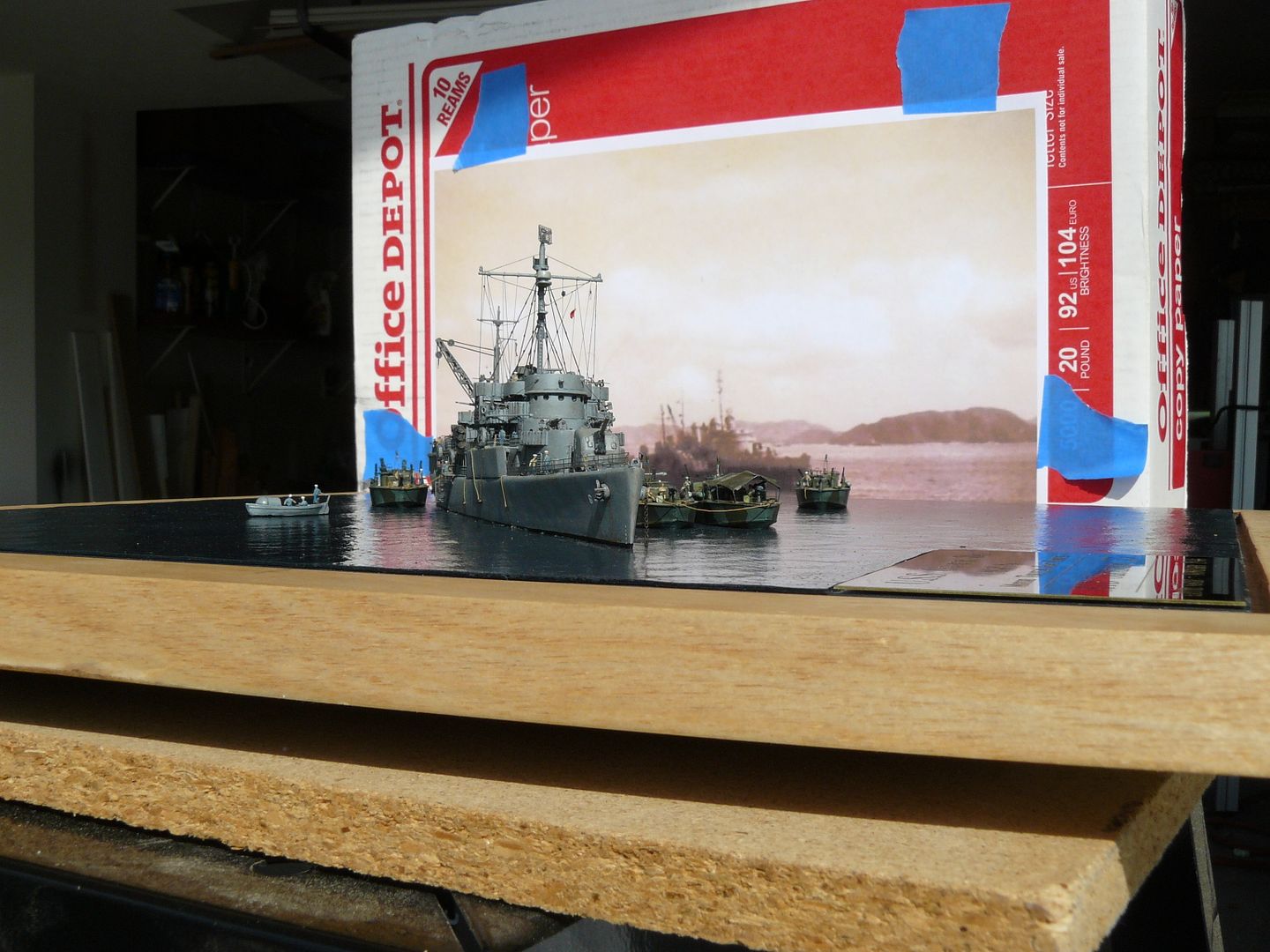
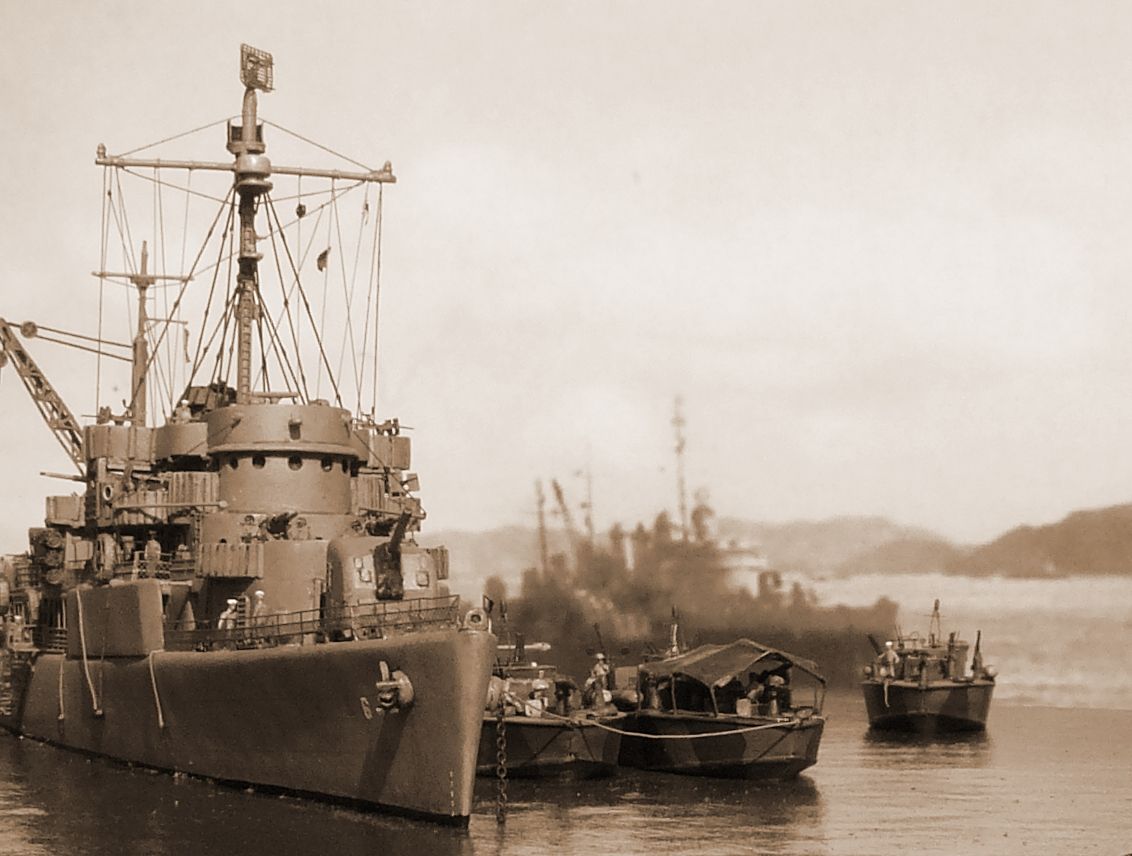
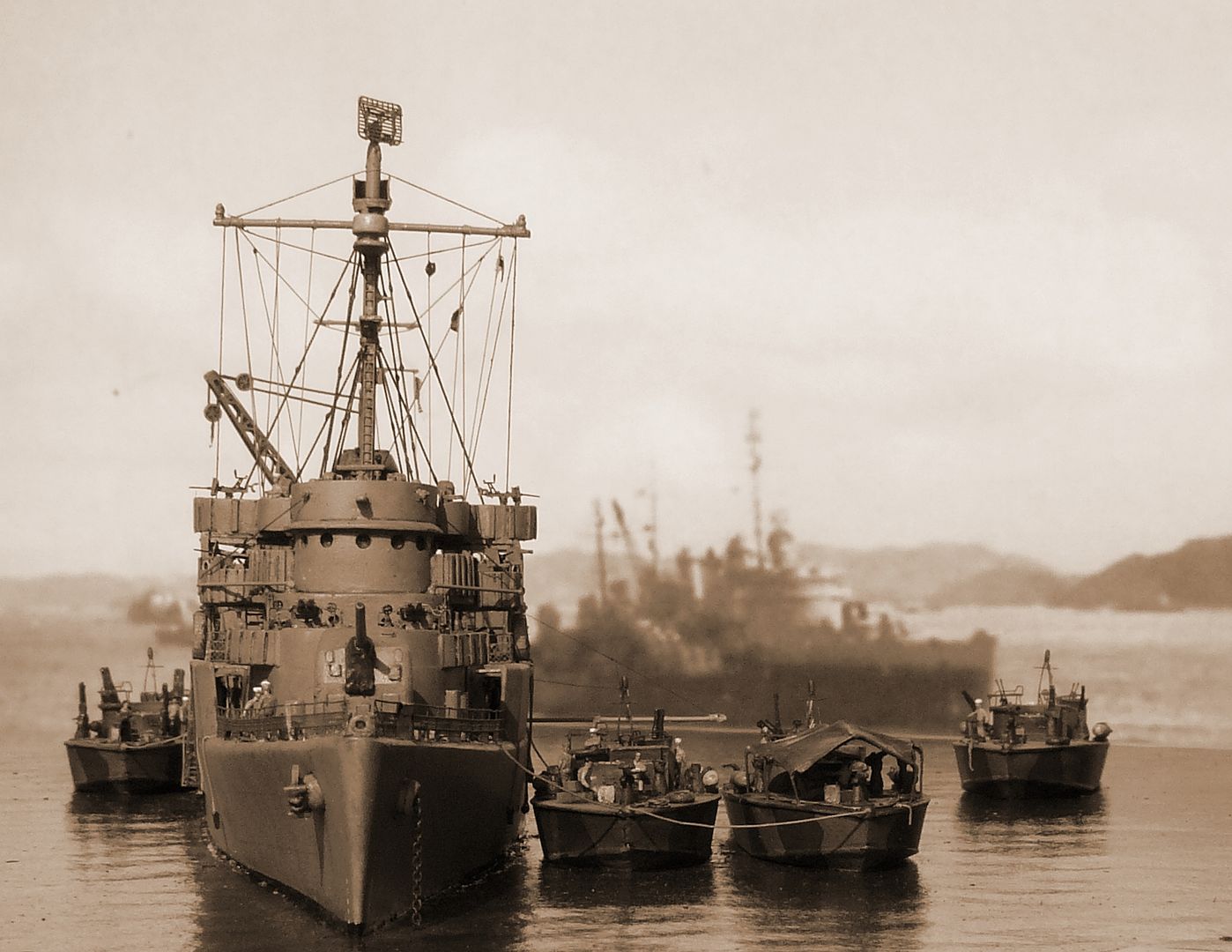
I was lucky to find an image of that same background ship taken from astern and used it for this shot.........
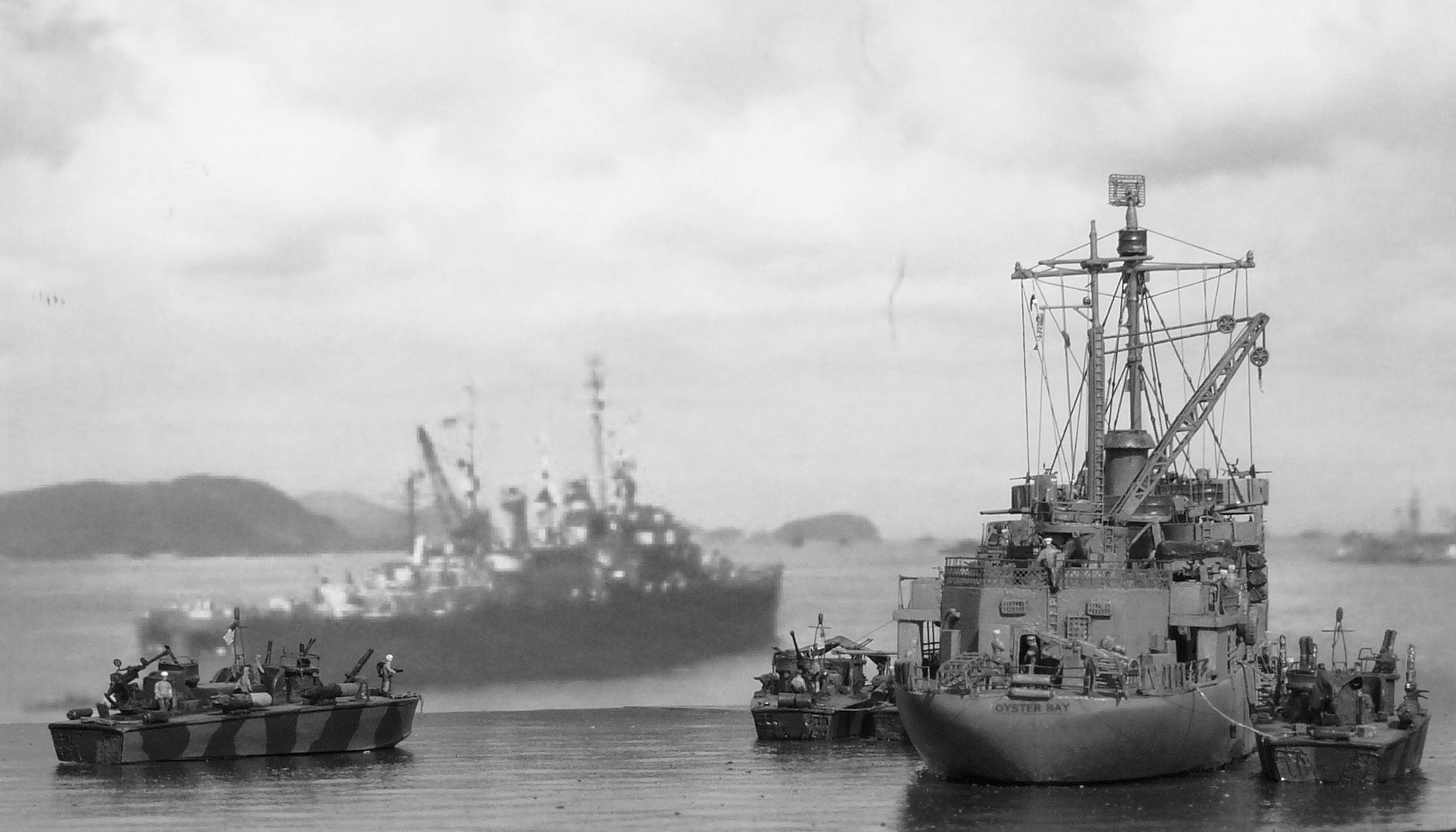
I was lucky to find an image of that same background ship taken from astern and used it for this shot.........
Carl Musselman
(Formerly Back-Aft Models)
Photobucket
https://app.photobucket.com/u/carlomaha
YouTube Channel:
https://www.youtube.com/channel/UCcH4XX ... IHgFtIYhAg
(Formerly Back-Aft Models)
Photobucket
https://app.photobucket.com/u/carlomaha
YouTube Channel:
https://www.youtube.com/channel/UCcH4XX ... IHgFtIYhAg
-
NukeMM
- Back-Aft Models
- Posts: 2980
- Joined: Tue Feb 05, 2008 12:44 am
- Location: Omaha, NE, USA
Re: Picture backgrounds
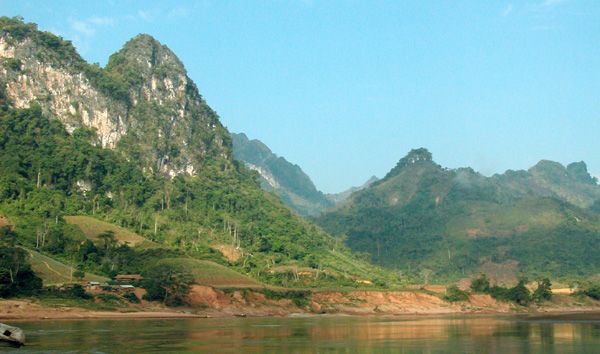
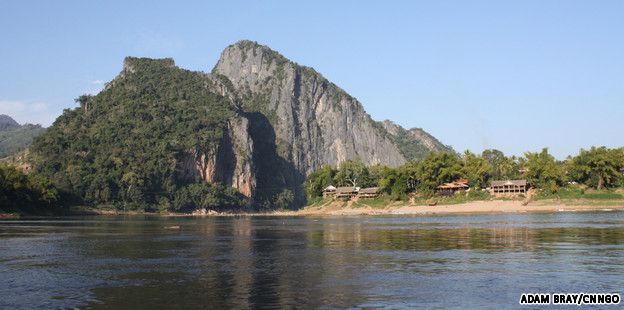
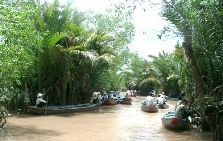
For my 1/350 Vietnam PBR River Patrol Boat diorama, I searched for "vietnam river" on Google and found samples like these. Try to find image with the highest resolution to minimize the pixelization effect like in my dio's photos. If it is highly pixalized, just don't use a high depth of field or F-stop setting.
Carl Musselman
(Formerly Back-Aft Models)
Photobucket
https://app.photobucket.com/u/carlomaha
YouTube Channel:
https://www.youtube.com/channel/UCcH4XX ... IHgFtIYhAg
(Formerly Back-Aft Models)
Photobucket
https://app.photobucket.com/u/carlomaha
YouTube Channel:
https://www.youtube.com/channel/UCcH4XX ... IHgFtIYhAg
-
NukeMM
- Back-Aft Models
- Posts: 2980
- Joined: Tue Feb 05, 2008 12:44 am
- Location: Omaha, NE, USA
Re: Picture backgrounds
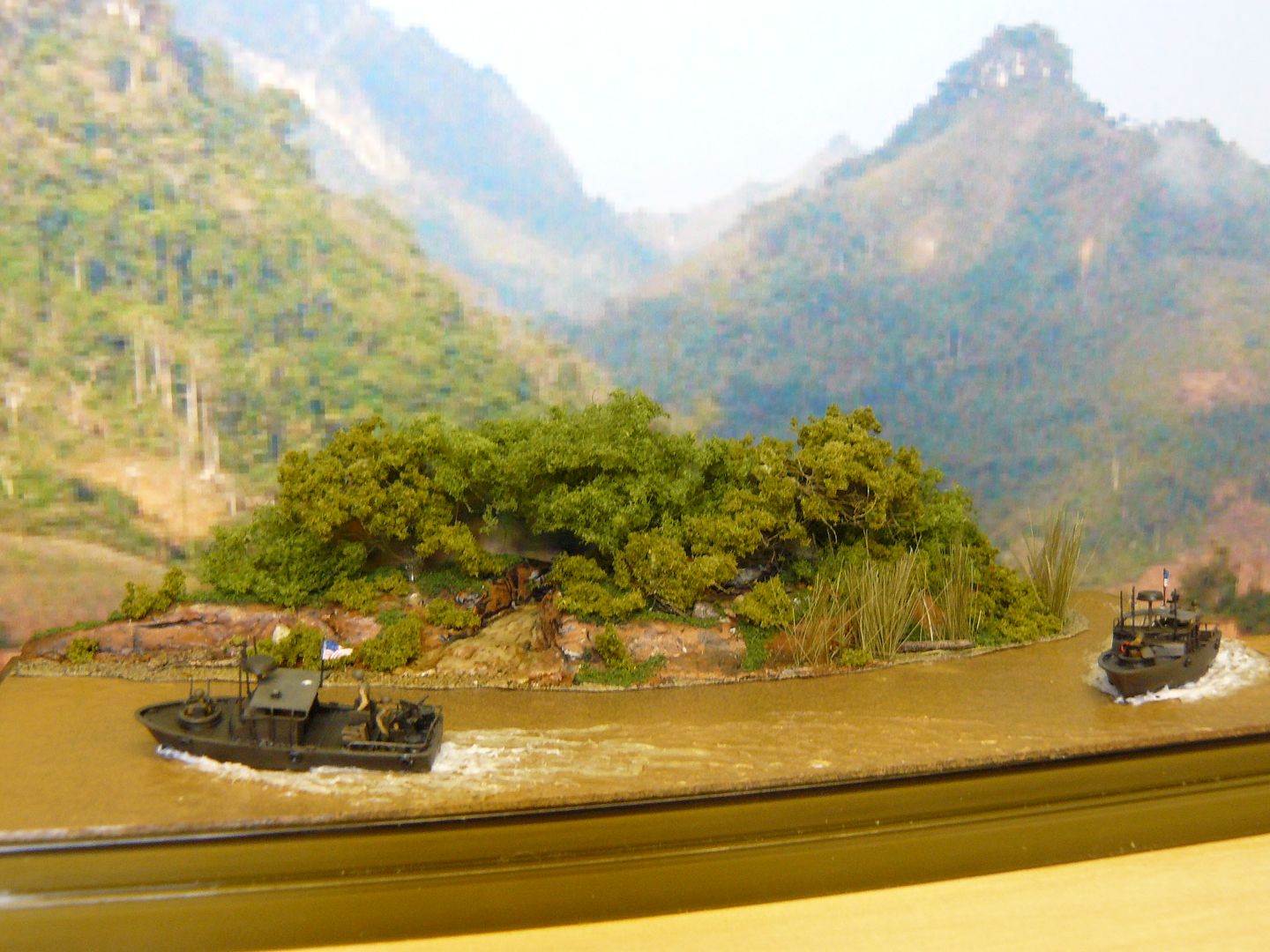
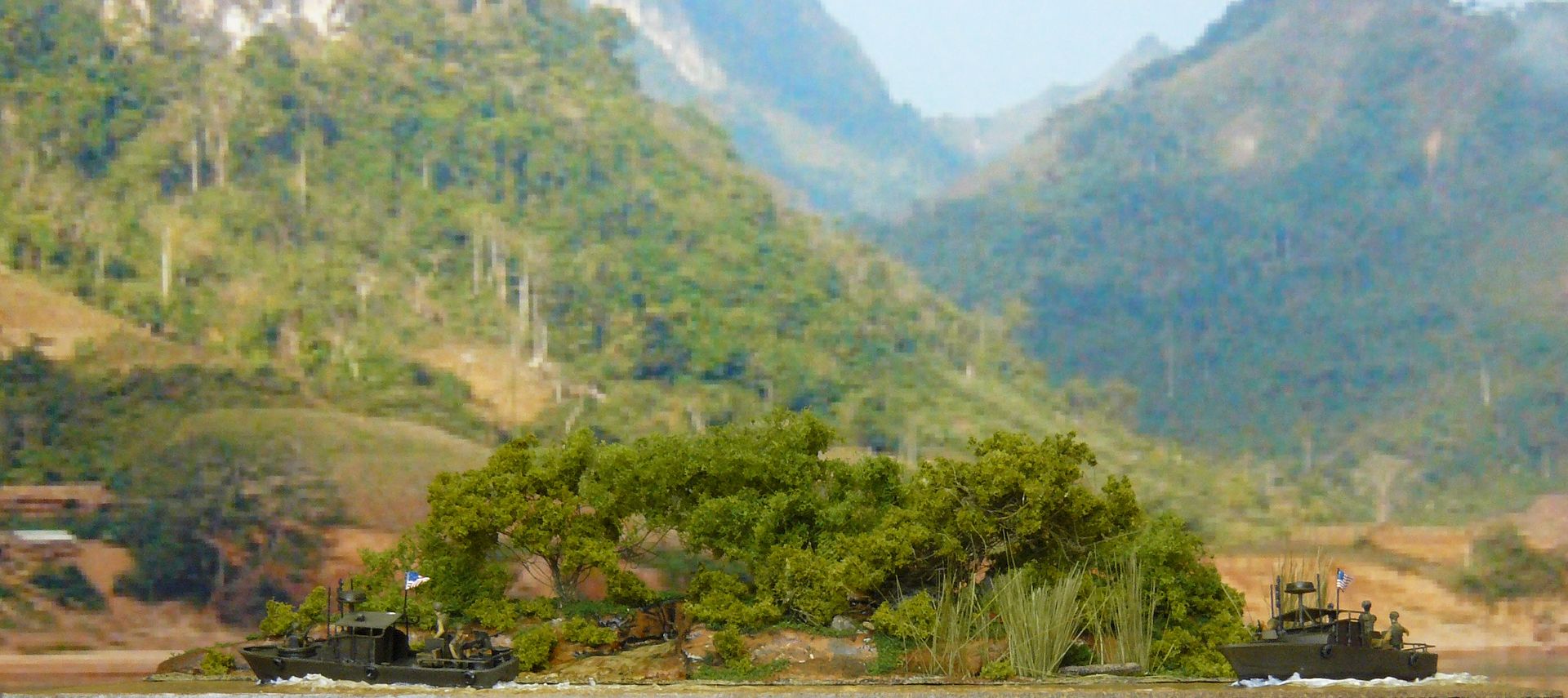
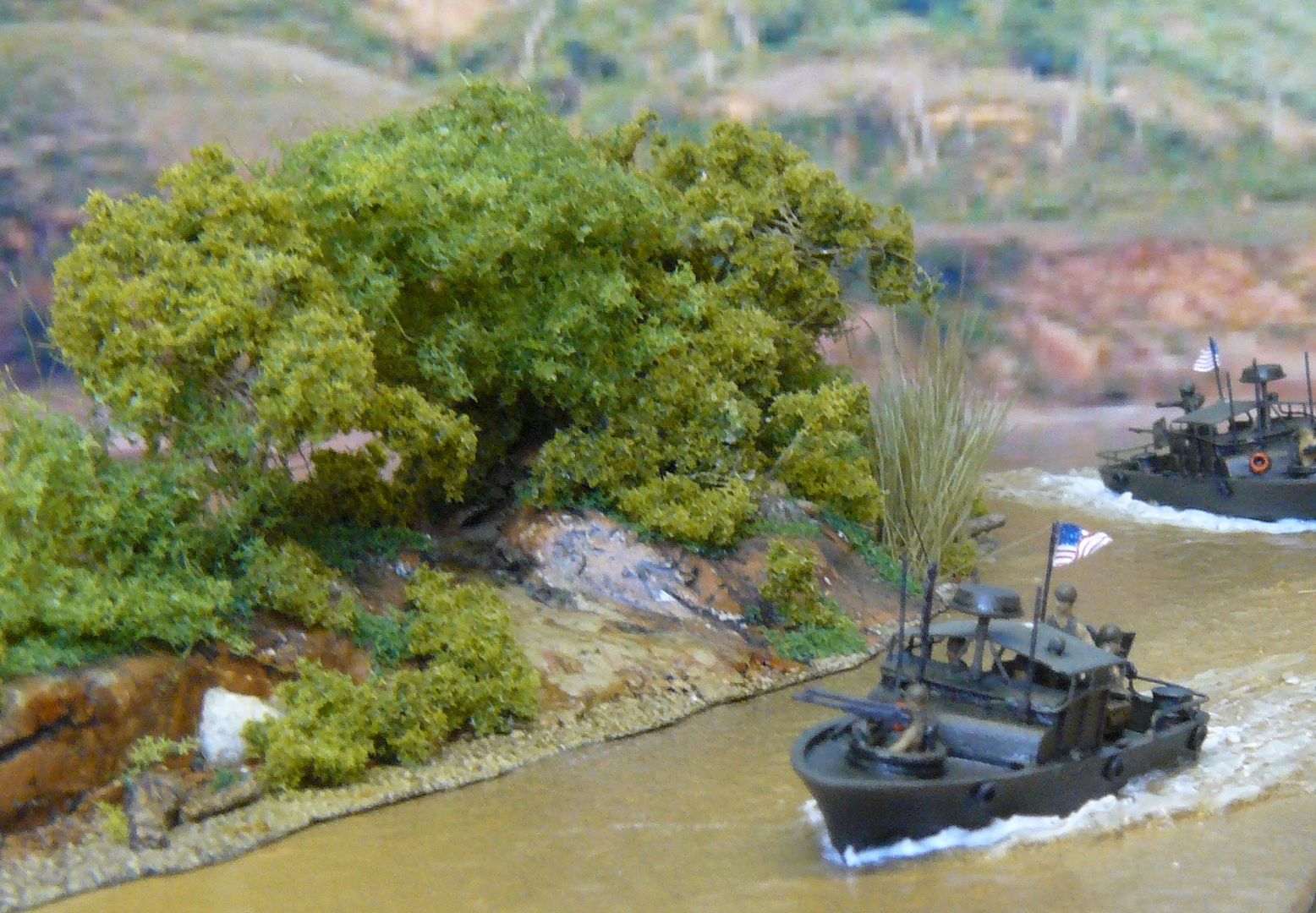
I used the first image, in the post above, for these shots...........
Carl Musselman
(Formerly Back-Aft Models)
Photobucket
https://app.photobucket.com/u/carlomaha
YouTube Channel:
https://www.youtube.com/channel/UCcH4XX ... IHgFtIYhAg
(Formerly Back-Aft Models)
Photobucket
https://app.photobucket.com/u/carlomaha
YouTube Channel:
https://www.youtube.com/channel/UCcH4XX ... IHgFtIYhAg
-
sirpaul

- Posts: 1500
- Joined: Sun Jun 12, 2011 10:37 am
- Location: Massachusetts.
Re: Picture backgrounds
Very clever Carl. I never thought of using landscape picture's in the backround. I'm going to give it a try when i finish my next dio. 
On the Bench
1/350 Independence
1/350 Dunkerque
1/350 Shimakaze
1/350 Sharnhorst Dragon
1/350 Belfast
1/350 Independence
1/350 Dunkerque
1/350 Shimakaze
1/350 Sharnhorst Dragon
1/350 Belfast
-
Russ2146
- Posts: 2126
- Joined: Tue Nov 03, 2009 9:28 pm
- Location: Egg Harbor Twp, NJ
Re: Picture backgrounds
Should this short tutorial be preserved in Tips & Tricks??
Last edited by Timmy C on Sun Sep 18, 2011 11:59 pm, edited 1 time in total.
Reason: Done.
Reason: Done.
-
DariusP
- Posts: 941
- Joined: Mon Jan 10, 2005 2:08 pm
Re: Picture backgrounds
It surely should
"On some great and glorious day the plain folks of the land will reach their heart's desire at last and the White House will be adorned by a downright moron." H. L. Mencken
-
NukeMM
- Back-Aft Models
- Posts: 2980
- Joined: Tue Feb 05, 2008 12:44 am
- Location: Omaha, NE, USA
Re: Picture backgrounds
I certainly can't take the credit for using photos as backdrops to my ship model photography. I'm sure that I'm steeling the idea from somebody.
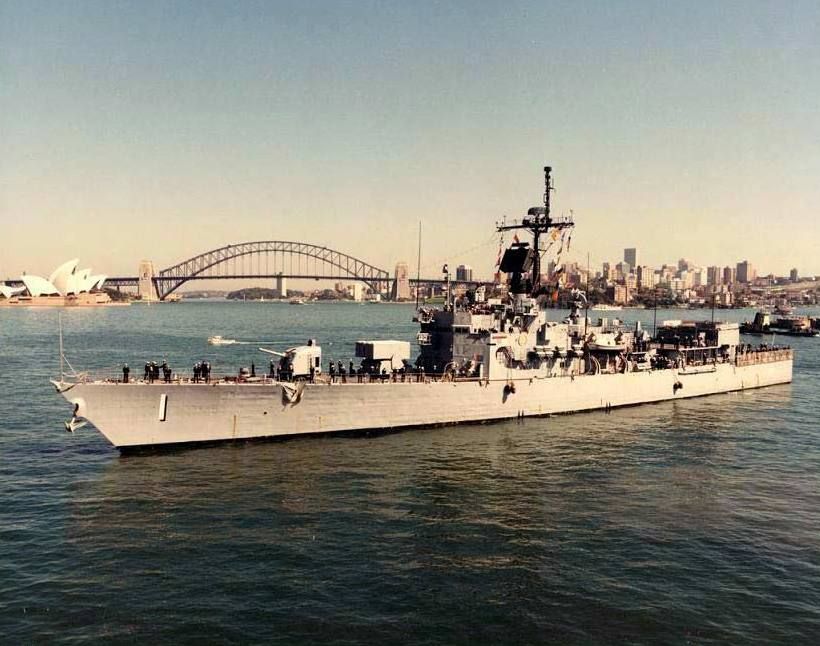
Here is the inspiration photo that made me attempt something similar with my model........
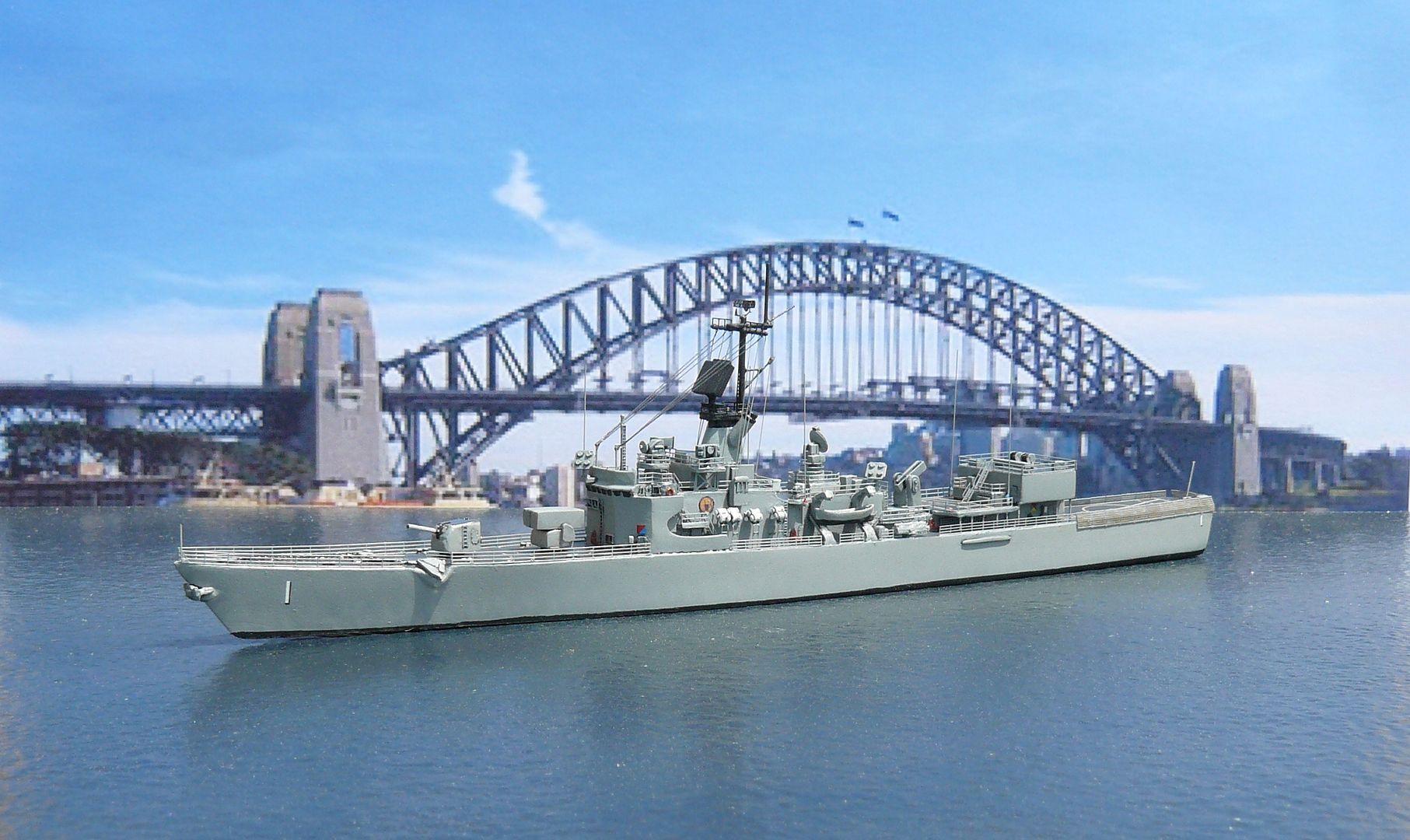
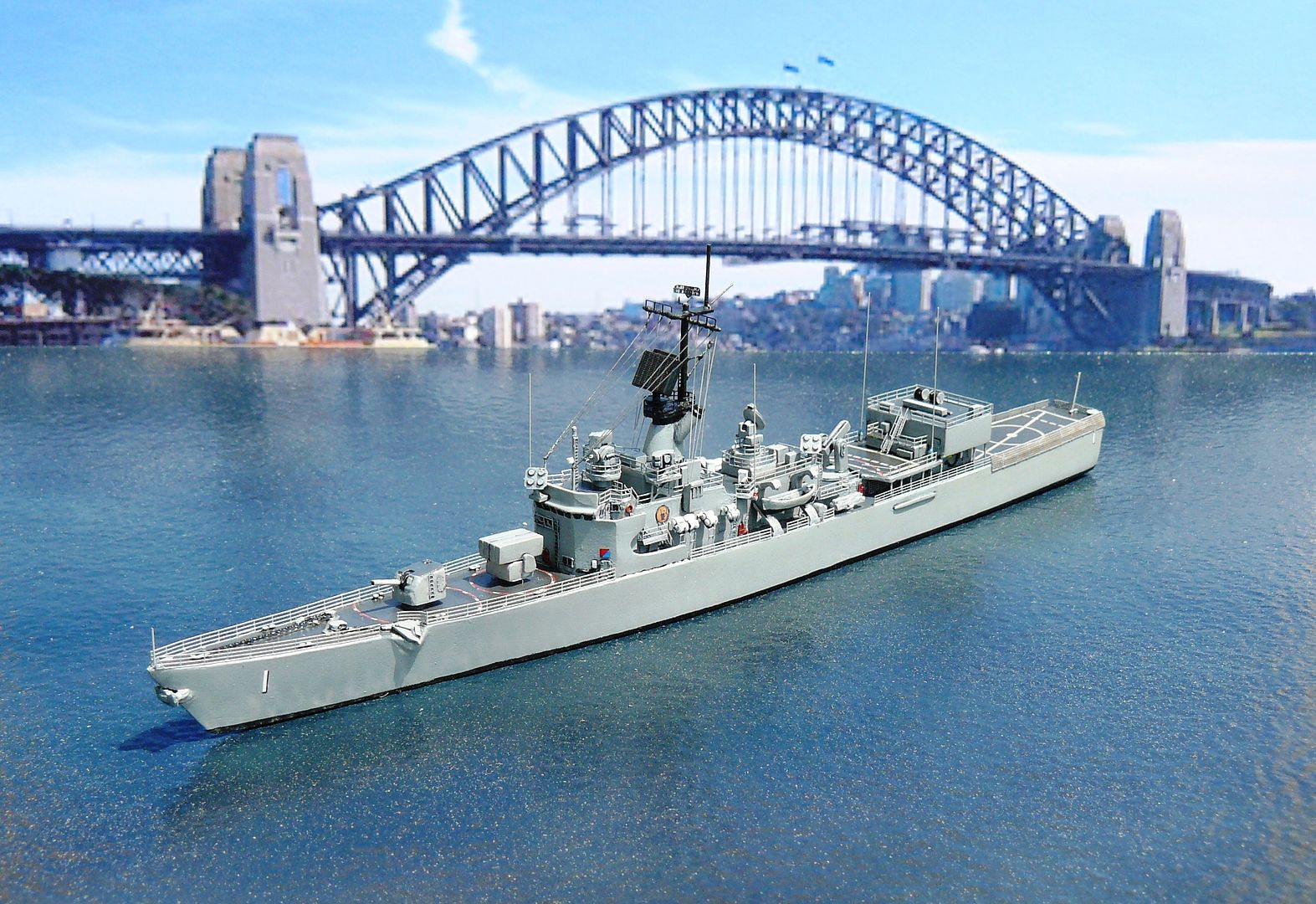
The trick is getting the water base edge to line up with that of the photo.
Here is the inspiration photo that made me attempt something similar with my model........
The trick is getting the water base edge to line up with that of the photo.
Carl Musselman
(Formerly Back-Aft Models)
Photobucket
https://app.photobucket.com/u/carlomaha
YouTube Channel:
https://www.youtube.com/channel/UCcH4XX ... IHgFtIYhAg
(Formerly Back-Aft Models)
Photobucket
https://app.photobucket.com/u/carlomaha
YouTube Channel:
https://www.youtube.com/channel/UCcH4XX ... IHgFtIYhAg
-
Guest
Re: Picture backgrounds
Carl,
Thanks for showing off your backgrounds! I think your dioramas are incredible and very inspirational! Thanks for sharing these with us!
Best wishes
Paul
Thanks for showing off your backgrounds! I think your dioramas are incredible and very inspirational! Thanks for sharing these with us!
Best wishes
Paul
-
nikosmadakis

- Posts: 89
- Joined: Mon Mar 23, 2015 1:46 pm
Re: Picture backgrounds
and if you dont have a printer.... do it in front of the monitor


-
biggles2
- Posts: 1980
- Joined: Thu May 30, 2013 1:50 pm
Re: Picture backgrounds
If you want to get fancy, you could use Photo Shop to cut and paste just the image of your model into a scene. Just be sure the lighting direction on the pic of your model matches that of the background scene. You can also add bow wave, wake, and smoke. 